Resetting your Password using OTP
-
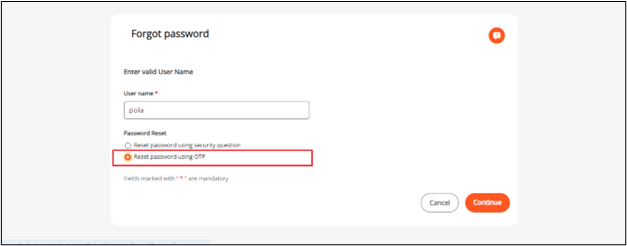
On the Forgot Password screen, enter the valid Login Name in the provided textbox.
-
Click on the radio button next to Reset password using OTP.
-
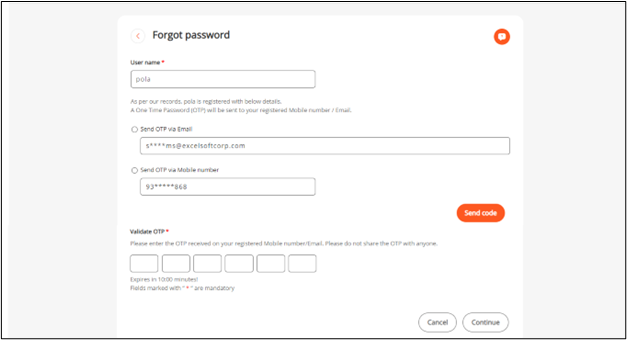
Click on the Continue button and you will be navigated to the Reset Password page as shown below.
-
Here you have the option to reset your password using the registered Email Address or Mobile Number.